
Veterinary endoscopy system
Document veterinary endoscopy exams from capture to report, in one place and without needing the internet.
Coming soon to the Microsoft StoreWhat it does
Capture
Live image from the endoscope camera (USB/UVC or HDMI card), recording, photos and markers.
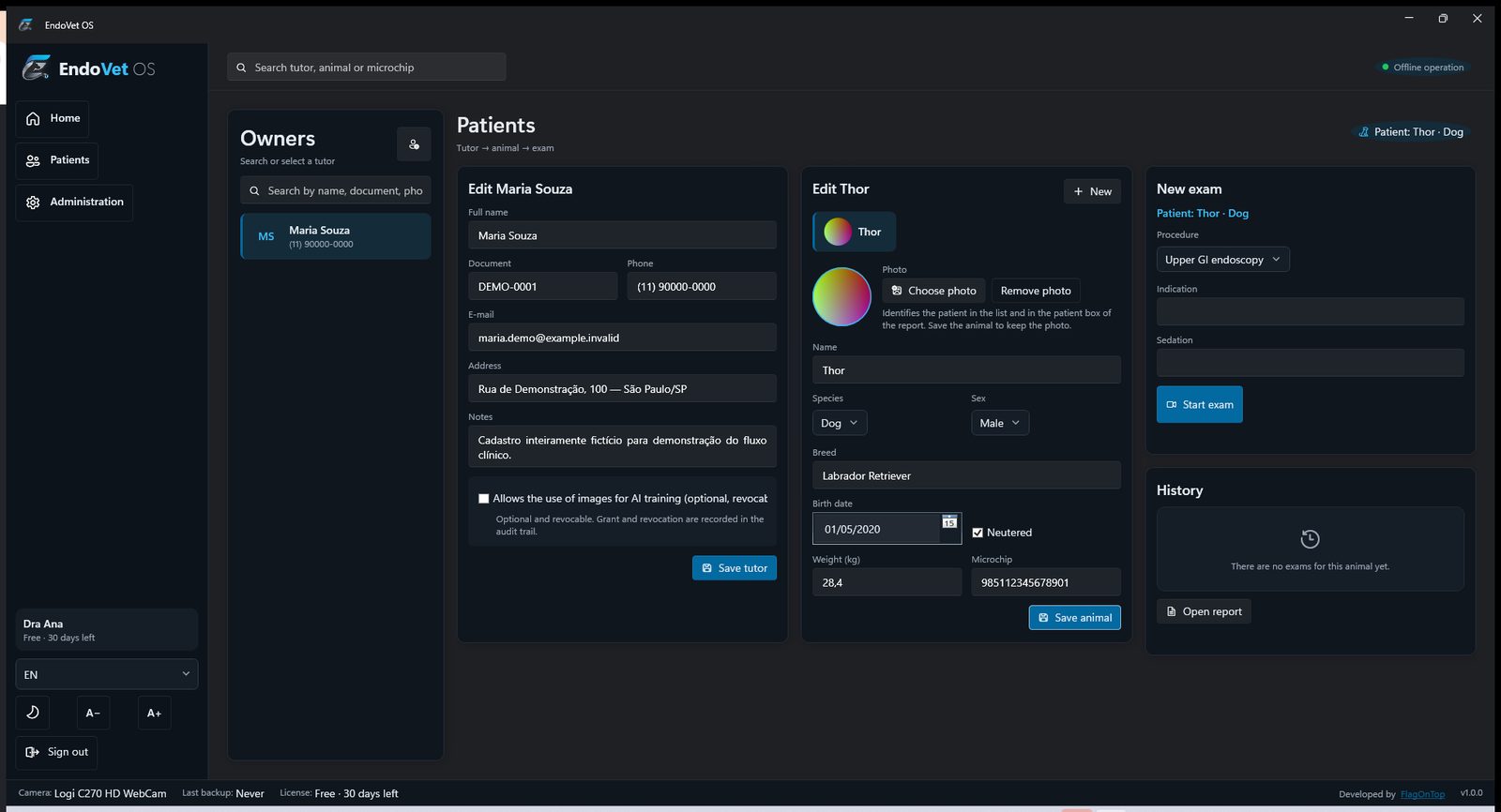
Patients
Owners and patients with a photo of the pet, weight in your region's unit and microchip.
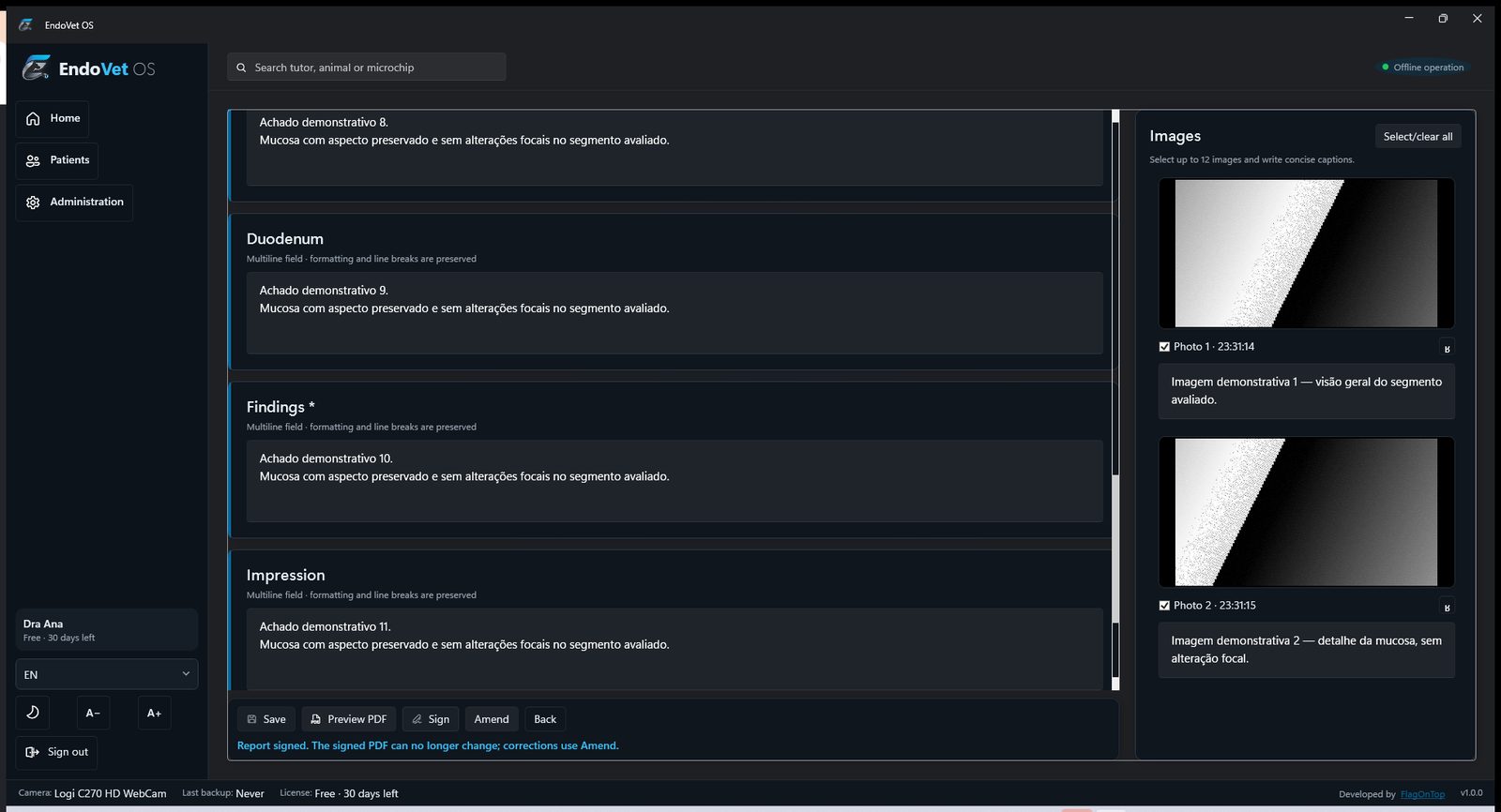
Report
Templates for 7 procedures and a PDF/A with captioned images and your signature.
Your data, on your computer
Works offline, with an encrypted database, audit log and verified backups.
Five languages
Interface and reports in Portuguese, English, Spanish, Chinese and Hindi.
No automatic diagnosis
It is a clinical documentation system. The decision is always the veterinarian's.
Screens
Editions
Free
- 30 days of use
- Recording up to 720p
- Watermark on images and reports
- One user
- Then: read-only (view, print and export)
Pro
- Full resolution
- Retroactive capture
- Multiple users
- Clinic logo on reports
Annual license, sold separately.
Support
The camera does not show up.
Connect the camera before opening EndoVet OS. In Administration → Camera and shortcuts, use "Find devices" and choose the camera.
Where is my data and how do I back it up?
Everything stays on your computer, encrypted. In Administration → Backup, choose the folder and use "Back up now"; the backup is verified when it finishes.
How do I activate the Pro edition?
In Administration → License, use "Import license" and choose the file you received with your purchase.
Contact us: info@flagon.top